Contacts
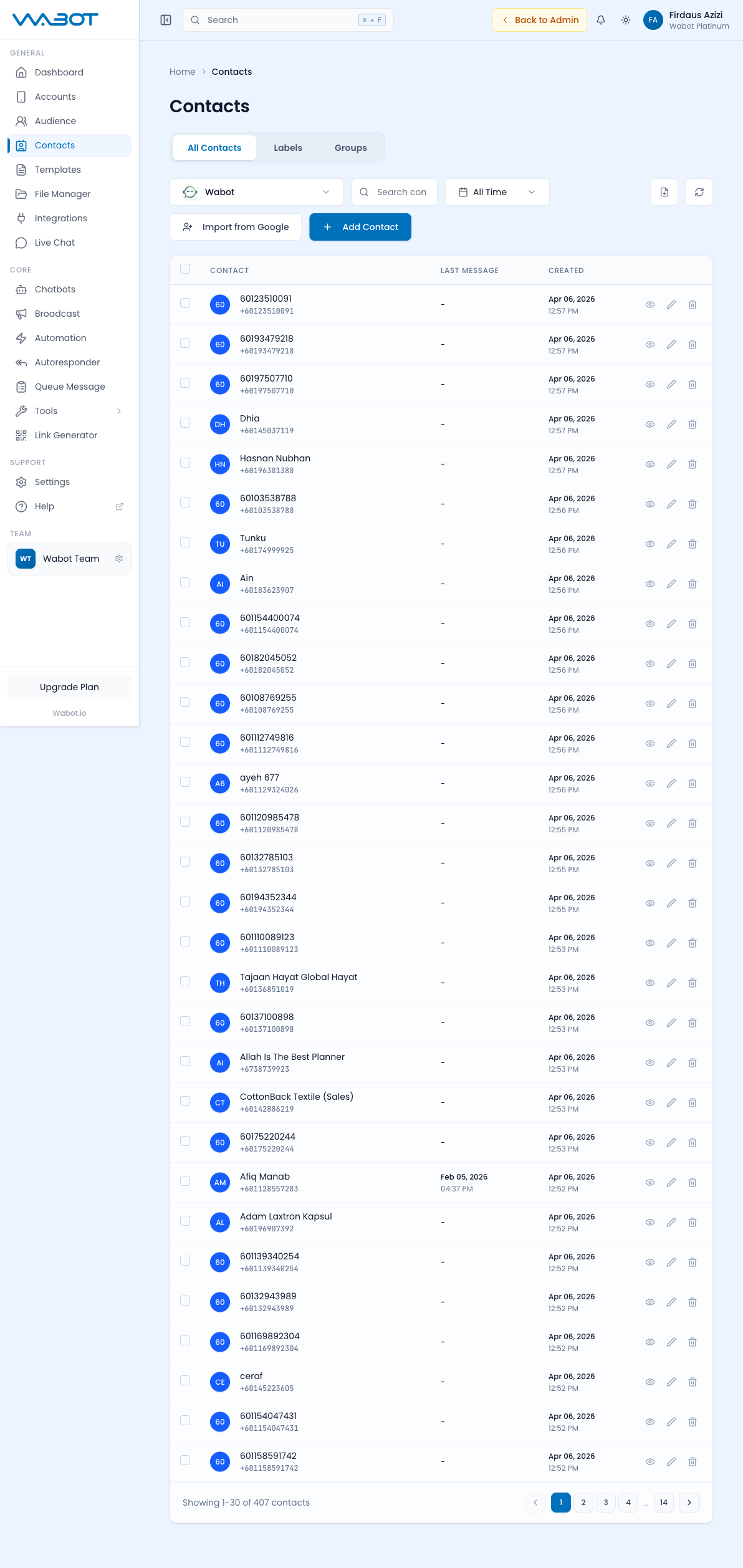
People is the central directory of CRM contacts and chatbot subscribers from your Wabot-connected WhatsApp accounts.
Where to Find It
Sidebar → GENERAL → Audience Hub → People — https://app.wabot.io/dashboard/contacts/people
Views
Use the People page to switch between the available contact and subscriber views:
| View | Description |
|---|---|
| Contacts | CRM people and their profile data |
| Subscribers | People who have interacted with your chatbot or other subscriber entry points |
Filters
- Select Account — filter by a specific WhatsApp account
- Search — find a person by name or phone number
- Advanced filters — narrow by chatbot status, follow-up state, activity, source, labels, or date
- Columns and view mode — adjust the details shown for your workflow
Working with a Person
- Open Audience Hub → People and choose the account and view.
- Search or filter for the person.
- Click the row or card to open the profile.
- Review or update:
- Name & phone number
- Labels applied
- Conversation history
- Custom fields (email, company, notes)
- Last interaction date
- Save any permitted changes. Use the page's bulk actions only after confirming the selected people.
Add, Import, Export, and Remove Contacts
- Select the account first, because contacts belong to a specific WhatsApp account.
- Use Add Contact to create one contact. Enter a name when available and a phone number in international format.
- Use Import to add a prepared CSV file. Test the import with a small file before importing a large database.
- Use Export after applying the required account, search, and date filters.
- Use delete actions cautiously. Removing a CRM contact does not necessarily undo messages, labels, subscriber history, or external system records.
Labels
Labels are WhatsApp-native tags (like "new lead", "VIP", "paid"). Open Audience Hub → Labels to select an account and label, then search, filter, refresh, or export the associated people. Labels can be used to:
- Filter contacts
- Trigger automations (label-based triggers)
- Segment broadcasts
See also: Audience Hub · Live Chat