Integrations
Open Integrations to see the services available to your workspace and each service's connection state.
Current integrations include:
- Google Spreadsheets
- Telegram Notification
- WooCommerce
- WordPress Plugin
- Funnelkit Connector
- Pabbly Connect
- Make
- KlikSini Connector
Google OAuth is displayed as Coming Soon, so it cannot currently be used to connect Google services through that card.
For integrations with a Settings button, open it to review its configuration. The page can show Connected for services already authorized by your workspace. Do not remove, replace, or reauthorize an integration without confirming which chatbots, automations, or workflows depend on it.
Wabot connects with external platforms to sync data, trigger messages, and automate workflows.
Where to Find It
Sidebar → GENERAL → Integrations — https://app.wabot.io/dashboard/integrations
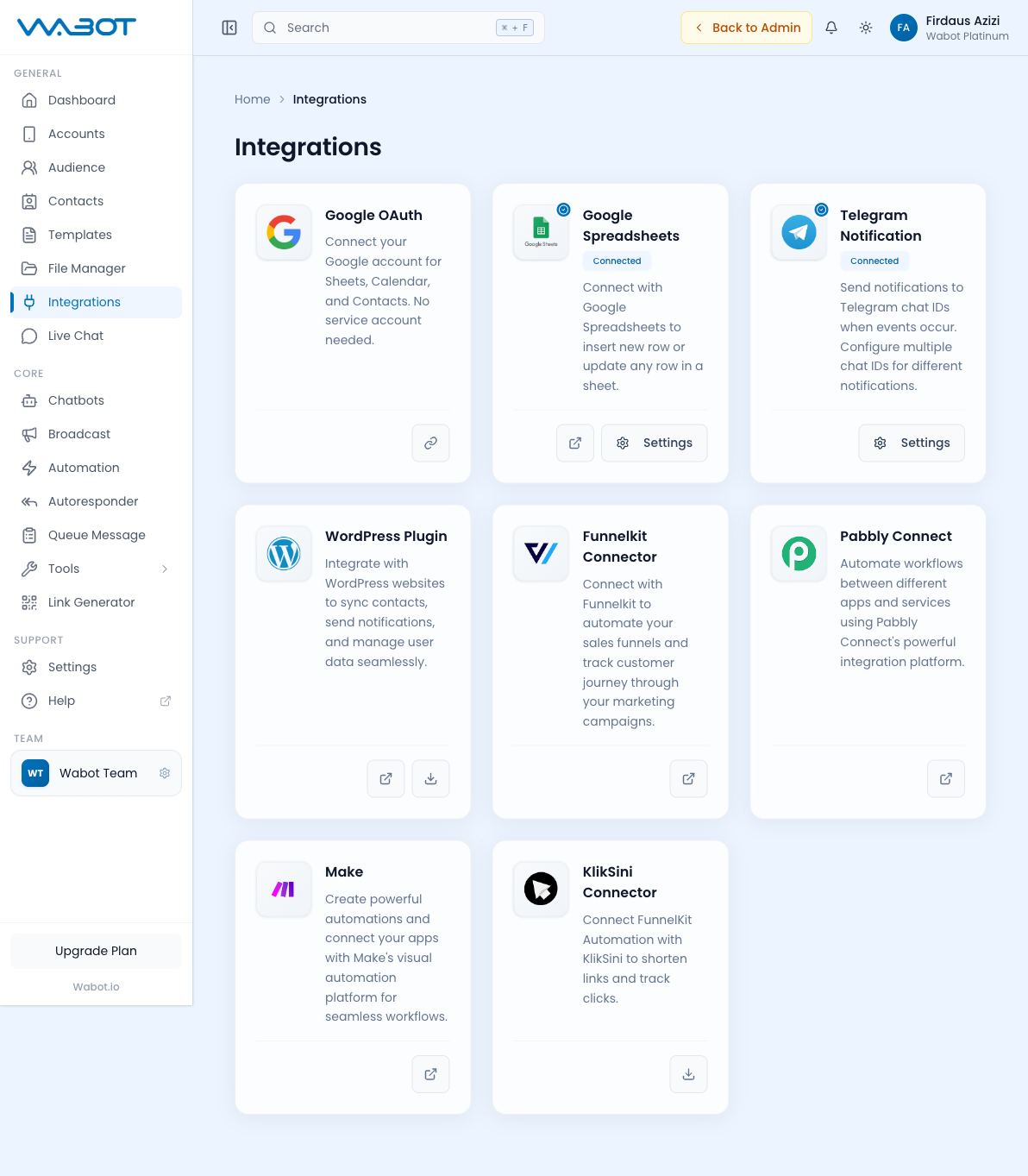
Available Integrations
| Integration | Description |
|---|---|
| Google OAuth | Coming Soon. Google account connection for Sheets, Calendar, and Contacts is not currently available from this card. |
| Google Spreadsheets | Insert new rows or update existing rows in a Google Sheet. |
| Telegram Notification | Send notifications to Telegram chat IDs when events occur. |
| WordPress Plugin | Sync contacts, send notifications, and manage user data from WordPress. |
| FunnelKit Connector | Automate sales funnels and track customer journeys. |
| Pabbly Connect | Automate workflows between apps using Pabbly's platform. |
| Make | Create visual automations connecting your apps with Make (formerly Integromat). |
| KlikSini Connector | Shorten links and track clicks via KlikSini. |
Each integration has a Settings button to configure credentials and options. The Connect and Settings actions require Integrations write permission.
Setting Up an Integration
Most integrations follow the same pattern:
- Click the integration card.
- Click Settings (or Connect).
- Enter credentials (API key, OAuth token, webhook URL).
- Configure which events should trigger messages.
- Save and test.
See the sub-pages for detailed setup guides: